Chip design tools in your browser.
Write Verilog, simulate it, read the waveforms, then take the same project through synthesis and layout.
Every tool a design needs, set up for you.
Open-source programs, in the order a design goes through them. Every run records the versions it used.
Write
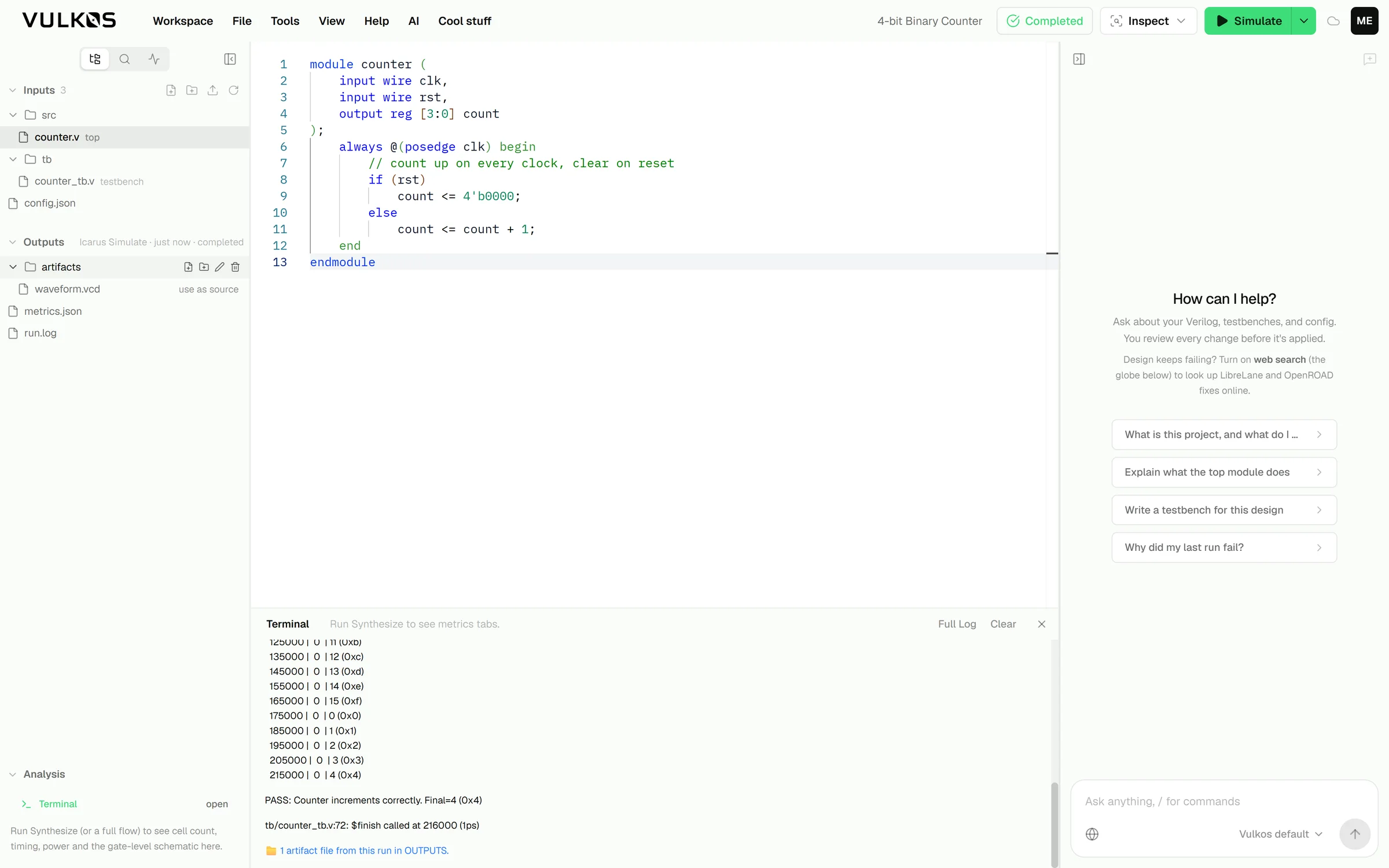
The project tree, the Verilog and the assistant share one window. Each run adds its results to the tree, next to your source.
- Project treeYour files
- Your source and testbench as inputs, and the outputs of every run beside them.
- AssistantBeside the editor
- Proposes edits to your files, and you review each one before it is applied.
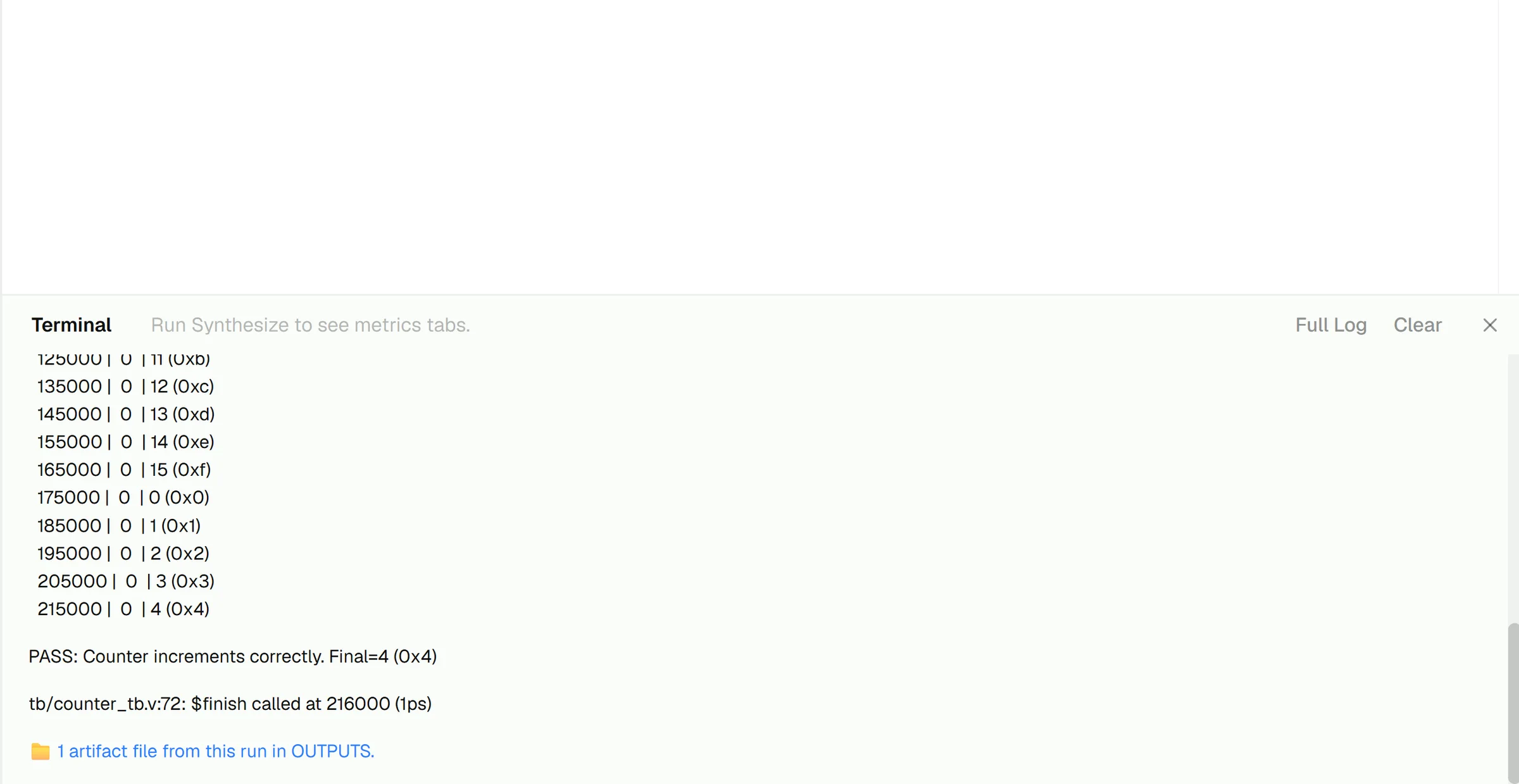
Simulate
Simulate compiles your testbench and prints what it says, ending in a pass or fail line.
- Icarus VerilogVerilog simulator
- Simulate a testbench, or Check the design for syntax errors, missing modules and port mismatches without running it.
- VerilatorVerilog simulator and linter
- Simulate a testbench, or Lint the design for width mismatches, unused logic and latches.
- cocotbPython testbench framework
- Run a Python testbench against the Verilog design, on either simulator.
Read the waves
A waveform from a run opens in a panel under the editor. The signals you add stay for the next run.
- SurferWaveform viewer
- Open the waveform from a run in a panel under the editor. The signals you add are kept for the next run.
See the gates
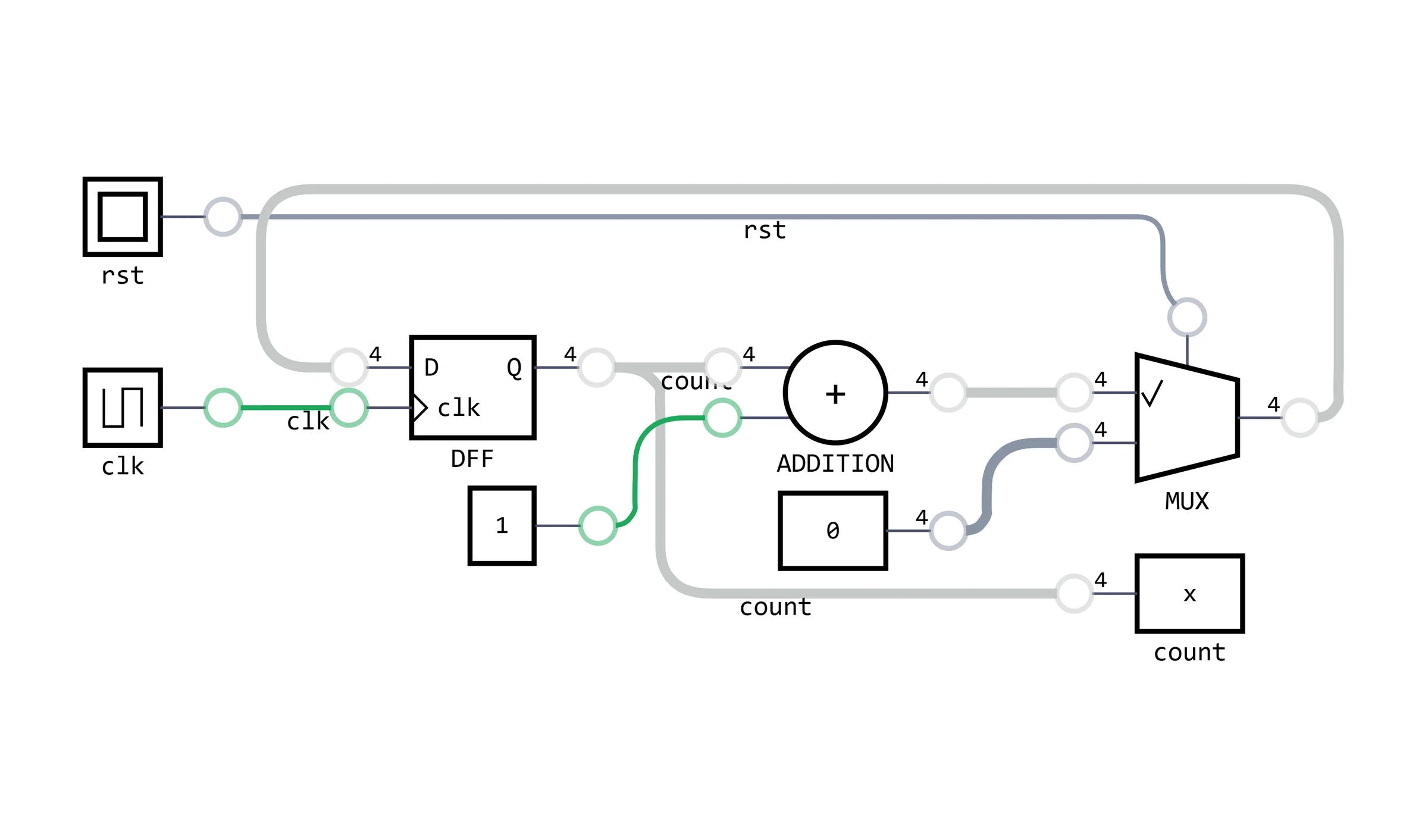
Inspect, then Visualise RTL as gates, draws your Verilog as a schematic. Switch inputs on and off and follow the signal through.
- YosysSynthesis
- Turn Verilog into gates. It runs in the page for Visualise RTL as gates, and it is behind the Synthesize action and the synthesis stage of a LibreLane run.
Build the chip
A layout run reports its cell count and area, timing, power and signoff checks, one page each.
- LibreLaneRTL to GDSII flow
- Take a design through synthesis, floorplanning, placement, routing and signoff checks, and write the layout.
- Sky130, GF180, IHP SG13G2Open process design kits
- The process a layout is built for, chosen per project. Sky130 (SkyWater, 130 nm) is the default. GF180 (GlobalFoundries, 180 nm) and IHP SG13G2 (130 nm BiCMOS) are a menu choice away.
Look at the layout
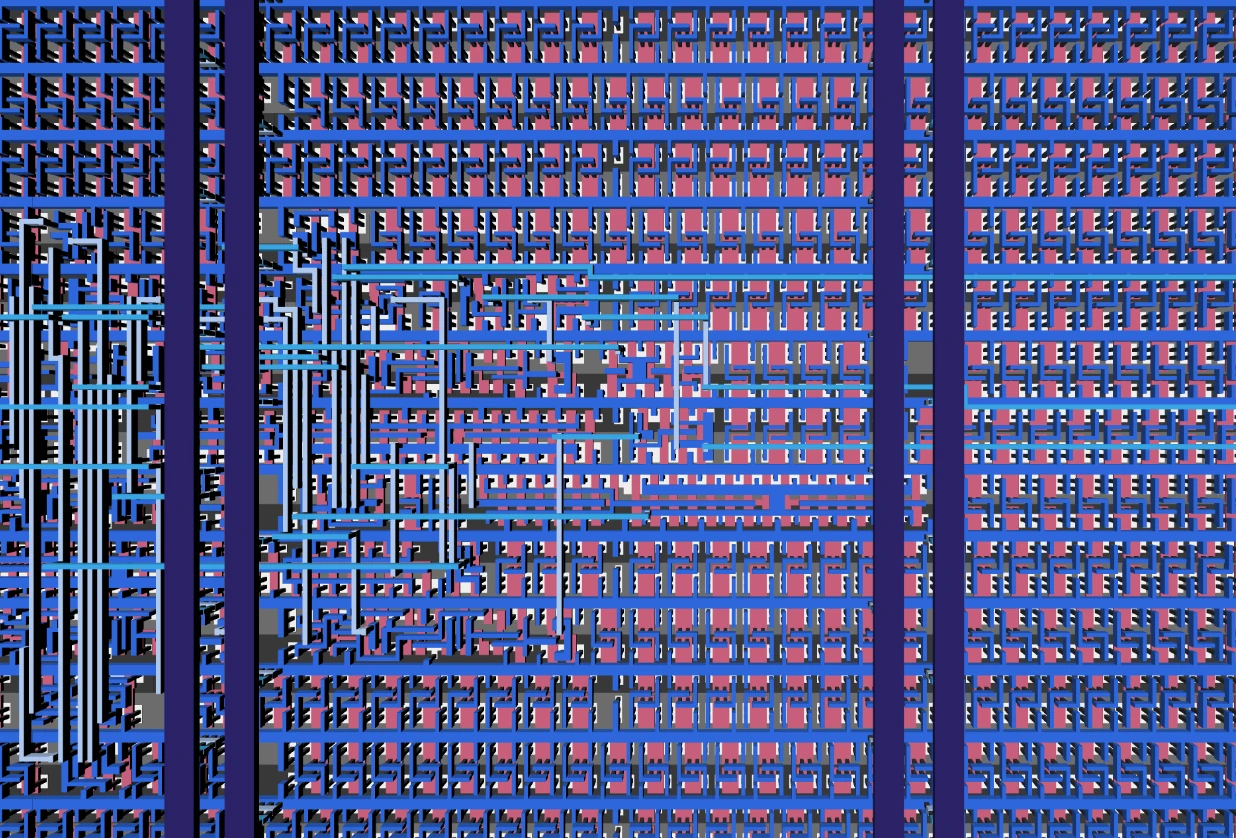
Open the finished chip in the page and switch its layers on and off.
- GDS viewerLayout viewer
- Open the finished layout in the page, with a list of layers to switch on and off.
In the browser or on your own machine.
Both work. They suit different people.
| Topic | Vulkos in the browser | Open-source tools on your machine |
|---|---|---|
| Getting started | Sign up and open the IDE. | Install the tools yourself. LibreLane documents three ways: Nix, an AppImage or Docker. |
| Operating system | Any laptop with a modern browser, a Chromebook included. | LibreLane lists Windows 10 or later (through WSL for Nix and AppImage), macOS 15 or later (Nix and Docker) and Linux. |
| Tool versions | Fixed by Vulkos, and recorded on every run. | Whatever each person installs, so two machines in one class can differ. |
| Simulators | Icarus Verilog, Verilator and cocotb, picked per run. | You install and update each one. |
| Waveforms and layout | Open in the same page after a run. | Open in separate viewer programs. |
| Where the work runs | On Vulkos servers. Compute is metered: the Free plan has 60 minutes a week. | On your own computer, limited only by what it can do. |
| Offline | Needs a connection. | Works offline once installed. |
| Control | The tools and options in the Tools menu. | Change any tool, version or flow setting, or add other tools. |
Install details from the LibreLane installation guide.
Open a project and run a simulation.
A counter and its testbench are one click away.